fal.ai API Key
fal.ai is known for fast inference and reliable uptime, offering models like Nano Banana, Flux Kontext Pro/Max, Seedream 4.0, Topaz Upscale, and QWEN Image Edit Plus.
What is fal.ai?
fal.ai is a cloud service that lets you run powerful AI models without needing to set them up on your own computer. Instead of installing large machine-learning frameworks locally, you send a request to fal.ai's servers, and the model runs there. This makes it possible to generate images, audio, or other AI-powered results quickly, directly from your applications.
How to Generate a fal.ai Key
1. Go to fal.ai
Open https://fal.ai and click Login (top right).
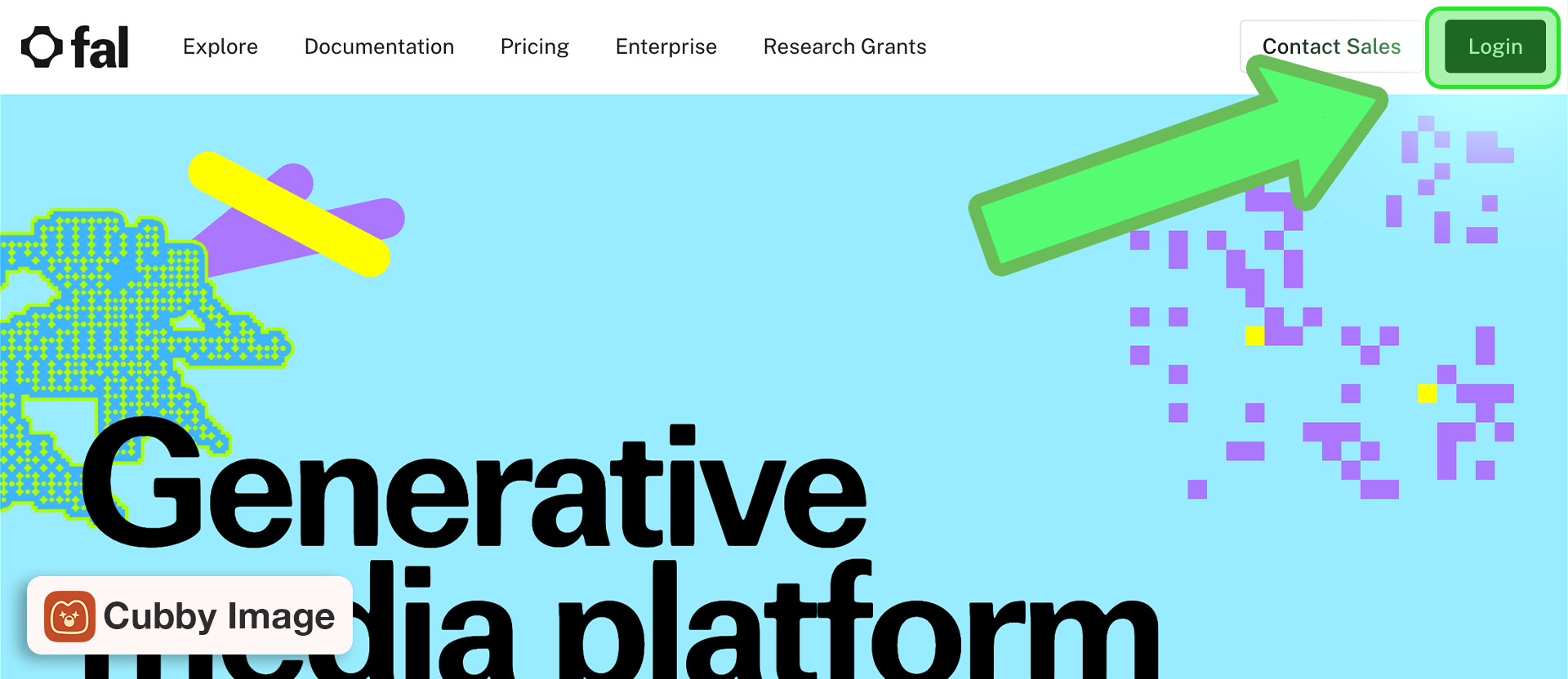
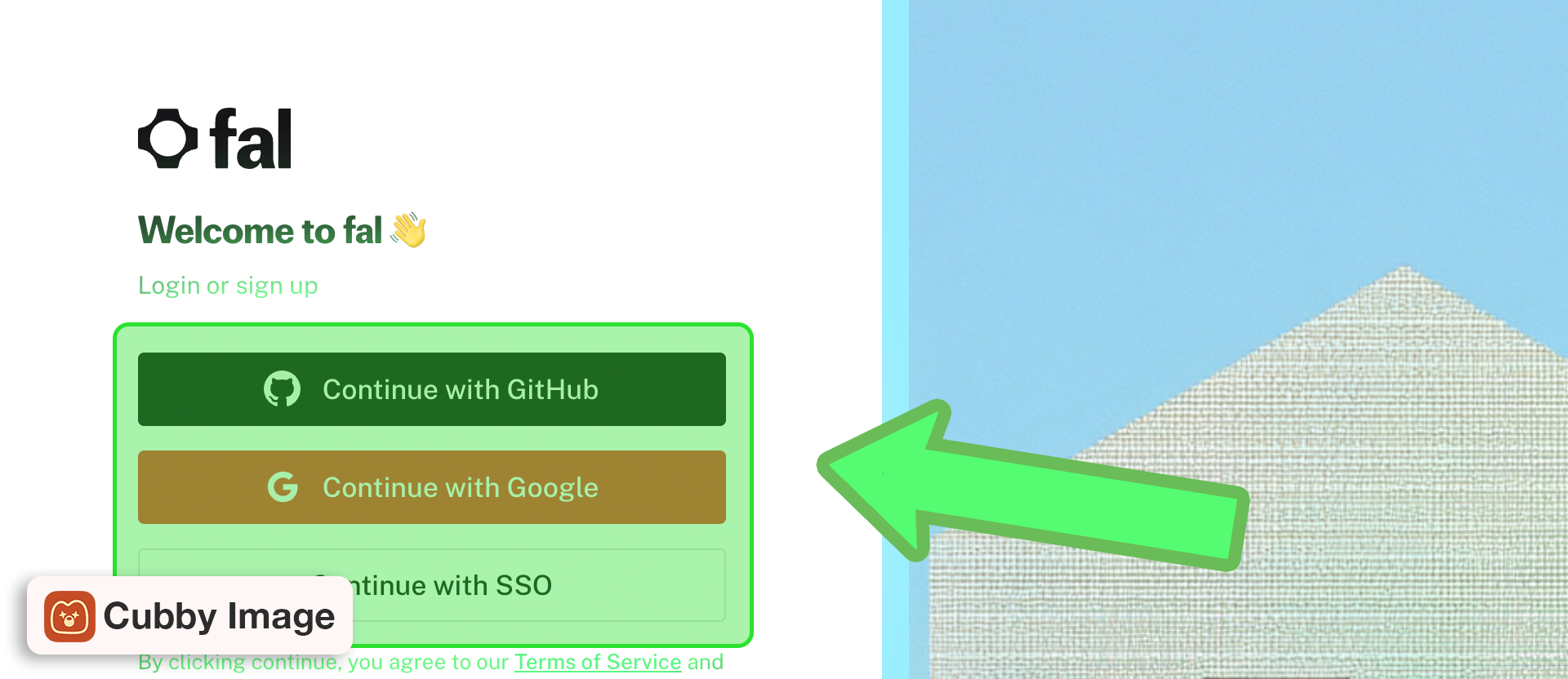
2. Sign in
Sign in or create a new account.
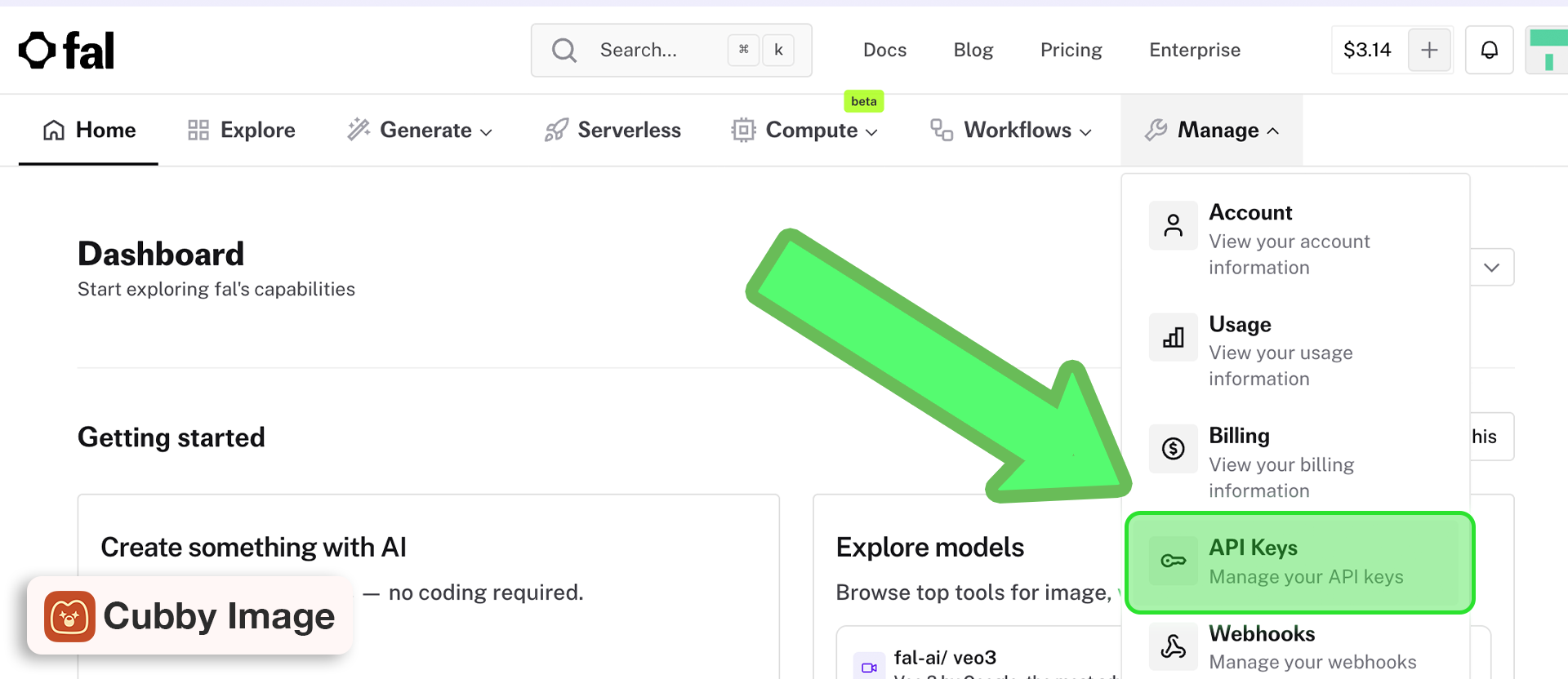
3. Go to API Keys
Navigate to API Keys in the dashboard.
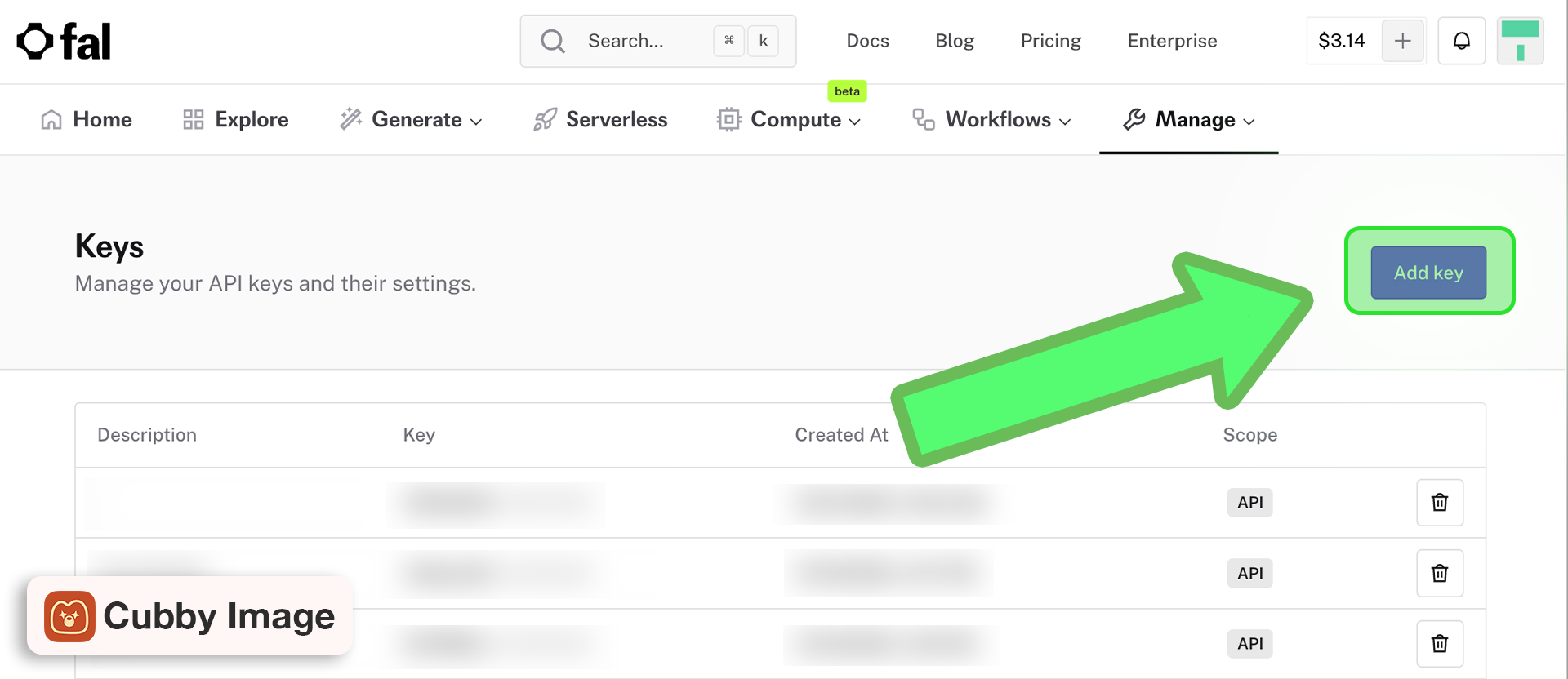
4. Create token
Click Add key, enter a token name, and copy the generated token for use with fal.ai's API.
Add to Cubby Image
- Open Photoshop and launch Cubby Image
- Go to Settings (gear icon)
- Find the fal.ai section
- Paste your API key
- Click Save
Troubleshooting
My API key isn't working
This usually comes down to formatting or saving issues:
- After pasting your key, make sure you clicked Save
- Double-check that you pasted the correct key and that there are no extra spaces
- If in doubt, click the Show (eye) button to confirm the key is entered correctly
- Try deleting and re-entering the key
Other issues:
- Your API provider account may not have billing set up
- The key may have been revoked in your provider's dashboard
- Your account may be out of credits or have payment issues