Gemini (Google Cloud) API Key
Attention
Gemini (Google Cloud) only offers access to Gemini Flash 2.5 Image (also known as Nano Banana).
What is Gemini API?
Gemini API (Google Cloud) provides access to Google's AI models.
How to Generate a Gemini Key
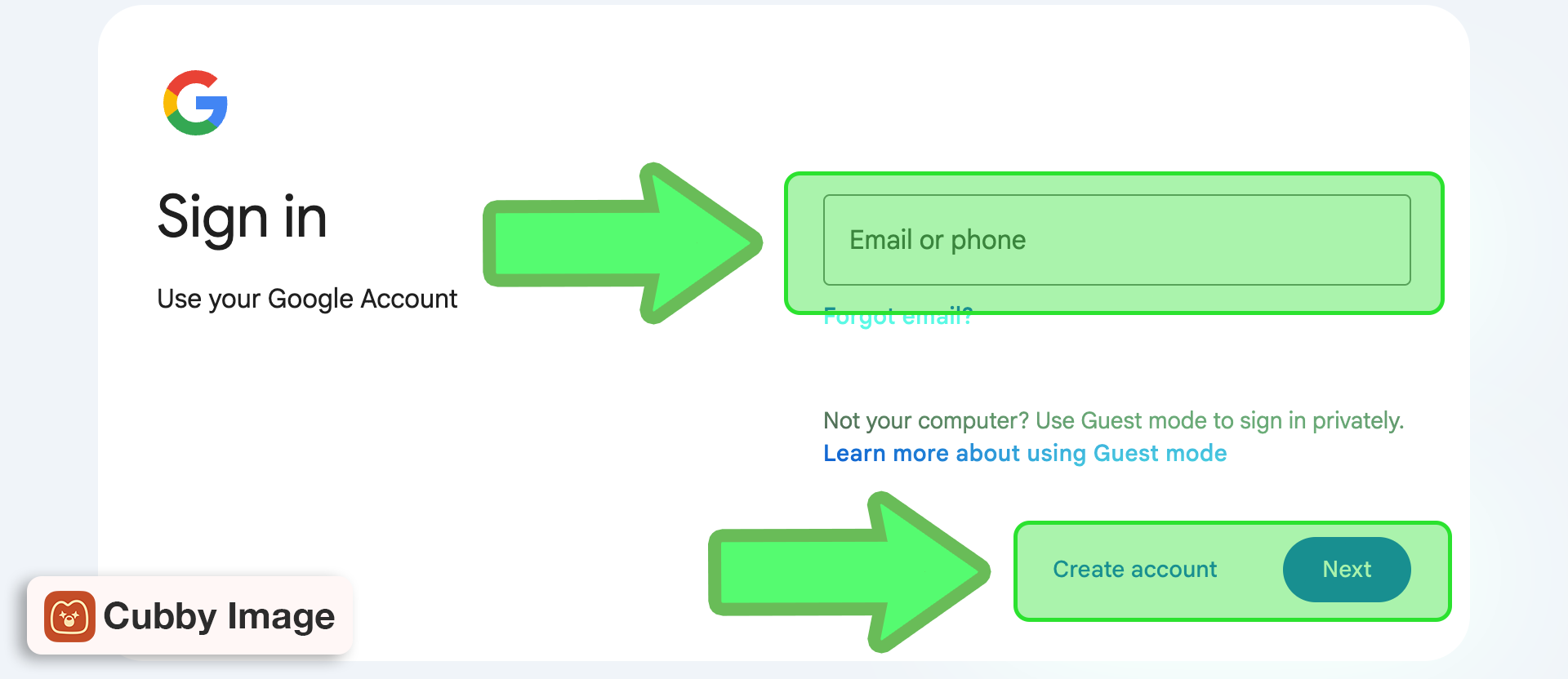
1. Sign in / Create account
Go to https://aistudio.google.com/apikey and sign in with your Google account or create a new one.
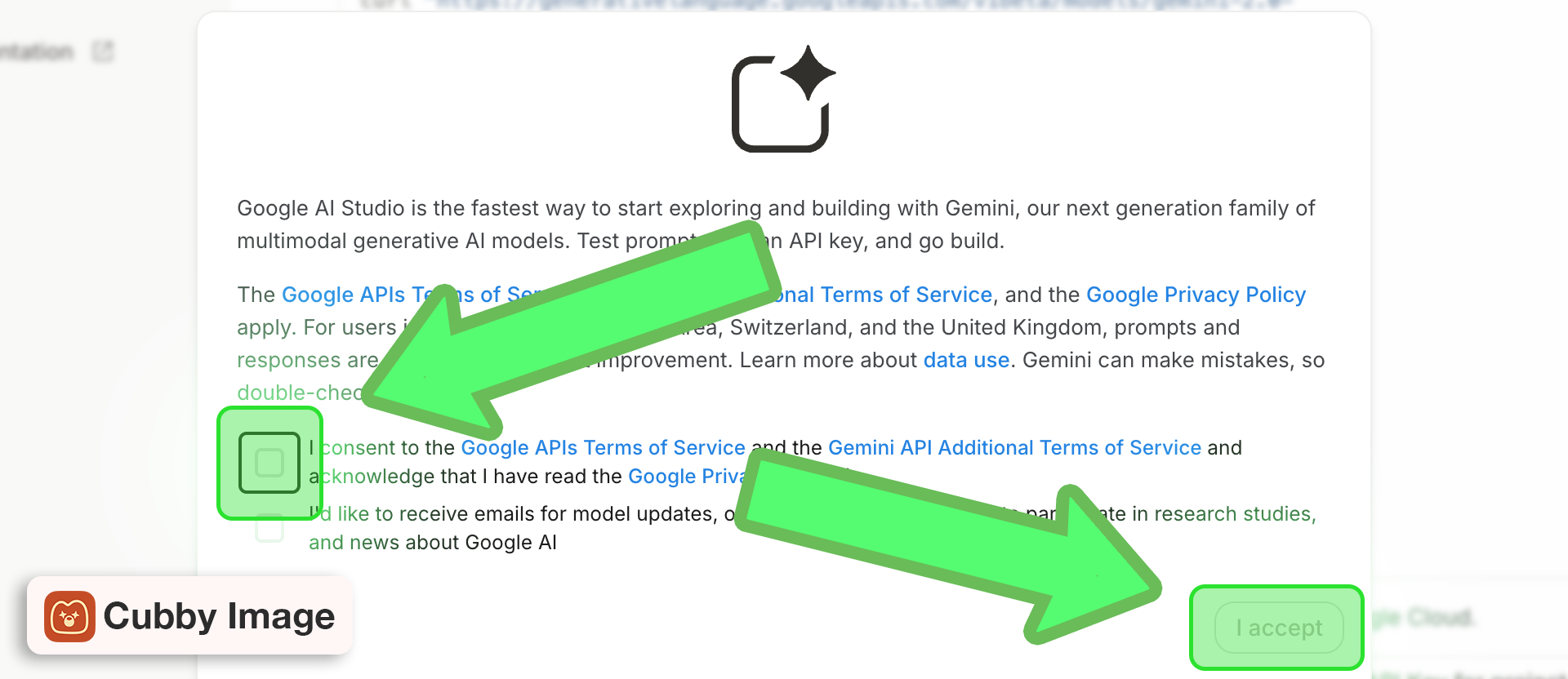
2. Accept terms
Check the consent box to agree to Google APIs Terms of Service and click I accept.
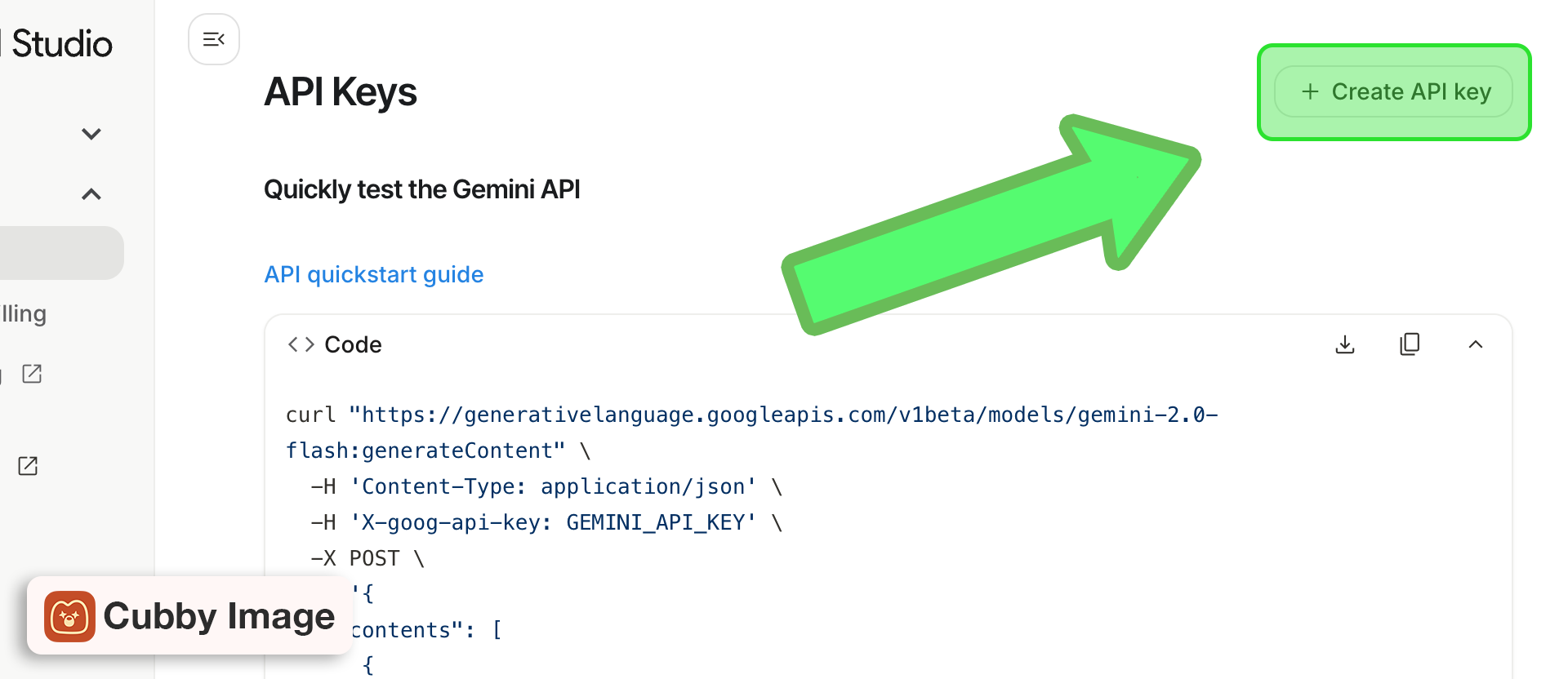
3. Create API key
Click + Create API key and copy the generated key — this is your Gemini API token.
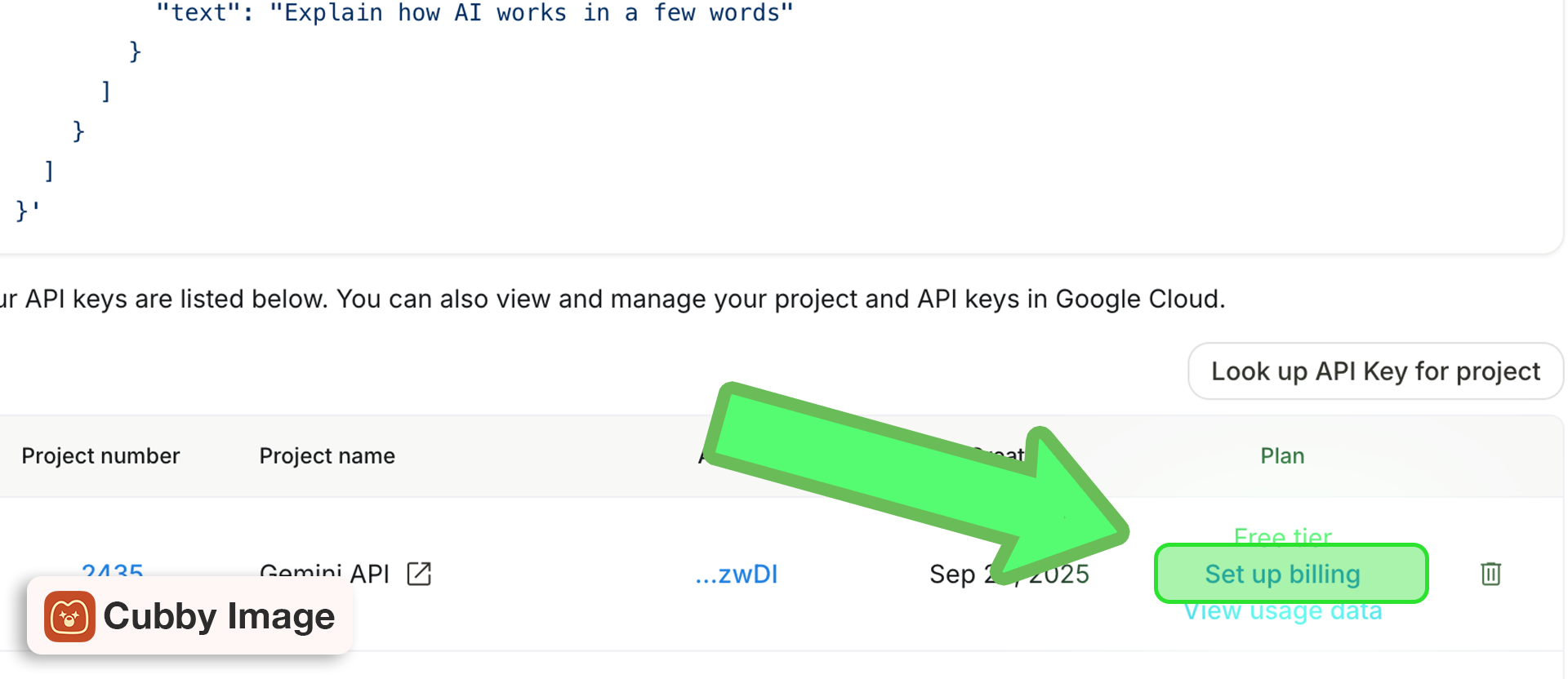
4. Set up billing (if needed)
If you have not used Gemini before you may have to set up billing first to activate your API key. Click on Set up billing and follow the instructions.
Add to Cubby Image
- Open Photoshop and launch Cubby Image
- Go to Settings (gear icon)
- Find the Gemini section
- Paste your API key
- Click Save
Troubleshooting
My API key isn't working
This usually comes down to formatting or saving issues:
- After pasting your key, make sure you clicked Save
- Double-check that you pasted the correct key and that there are no extra spaces
- If in doubt, click the Show (eye) button to confirm the key is entered correctly
- Try deleting and re-entering the key
Other issues:
- Your API provider account may not have billing set up
- The key may have been revoked in your provider's dashboard
- Your account may be out of credits or have payment issues